
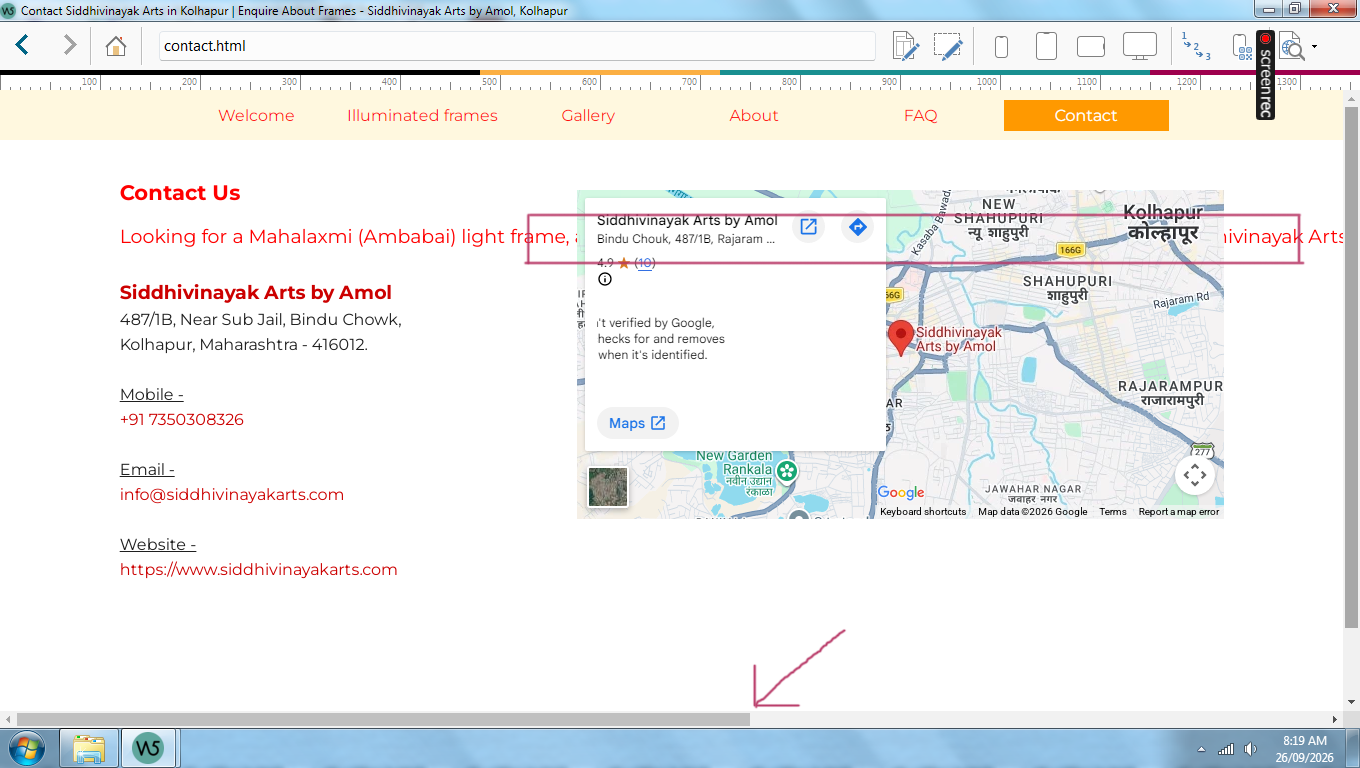
Text hidden behind google map 
Autore: Mandar V.
Visite 392,
Followers 1,
Condiviso 0
Hello Website X5 masters, I need a help.
There is not a single day or a single job in which I don't face issues. I surprise whether I paid to Incomedia to purchase a software or to post new issues every day.
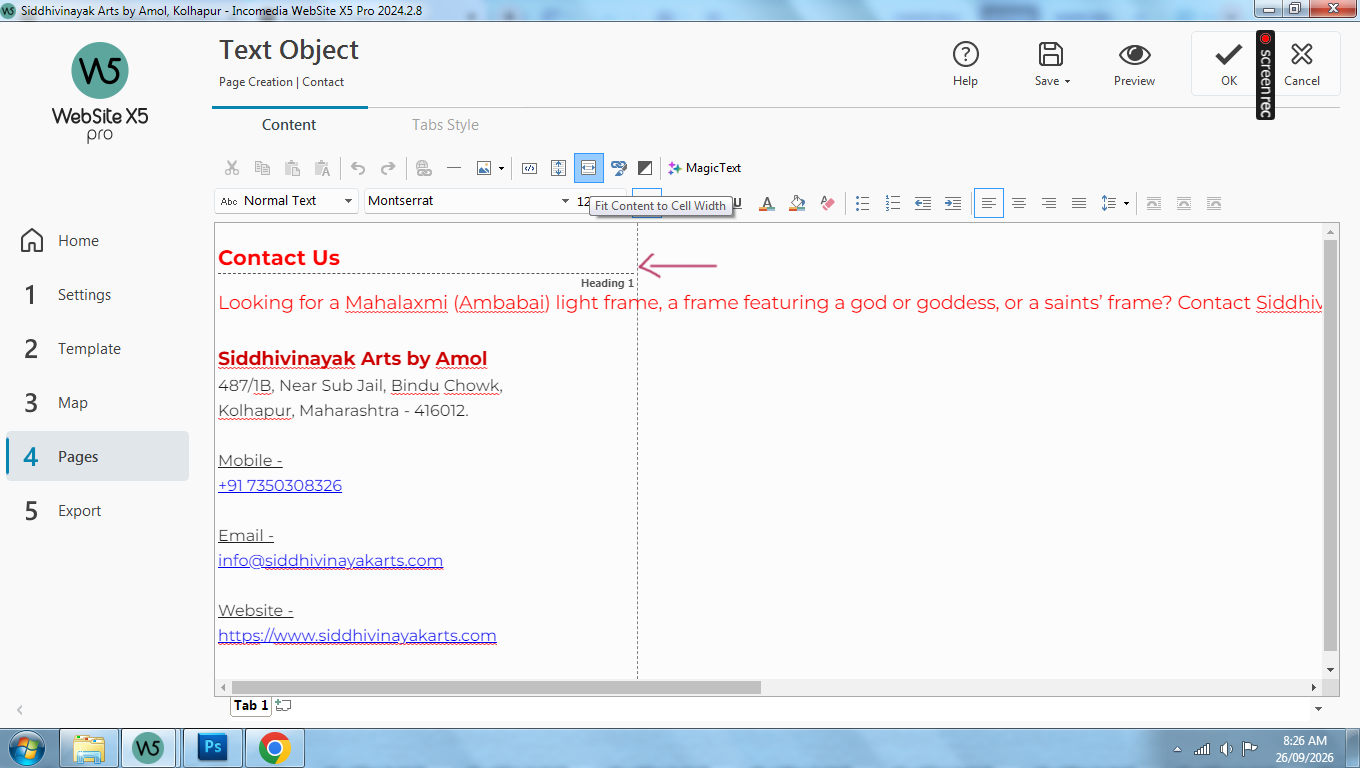
1. Fit content to cell width - selected
2. Text is going beyond the cell into the next object.
Postato il
Has the page already been exported?
I don't see any errors on the internet, see screenshot below
----- Display in Firefox, similarly in Edge and Chrome ------
Autore
Dear Daniel W.
The existing page is not as per the visual which I expected. The 3 red lines are suppose to appear in the right column Above Siddhivinayak Arts by Amol.
Because I am facing text hide issue, I make this adjustment for the time being.
Regards
Autore
Left column. I mean to say. My mistake.
Please read it as below -
Dear Daniel W.
The existing page is not as per the visual which I expected. The 3 red lines are suppose to appear in the left column Above Siddhivinayak Arts by Amol.
Because I am facing text hide issue, I make this adjustment for the time being.
Regards
I don't see three red lines, so I don't know what it means.
Autore
Dear Daniel W.
Text marked in green is supposed to be in the specific width marked with arrow.
Now I understand that it referred to lines of text.
The error doesn't occur for me in the current 2026 version, see screenshot below.
Perhaps it's a problem with the 2024 version.
-----
What happens if the symbol is not selected? Will the error still appear in the preview?
-----
.
ciao
.
Hello Mandar,
I am sorry about the issue.
Was this text copied/pasted from an external source, or written directly in the Text editor of WebSite X5?