
Is This a Website X5 Problem? 
Autor: Nigel B.Hi,
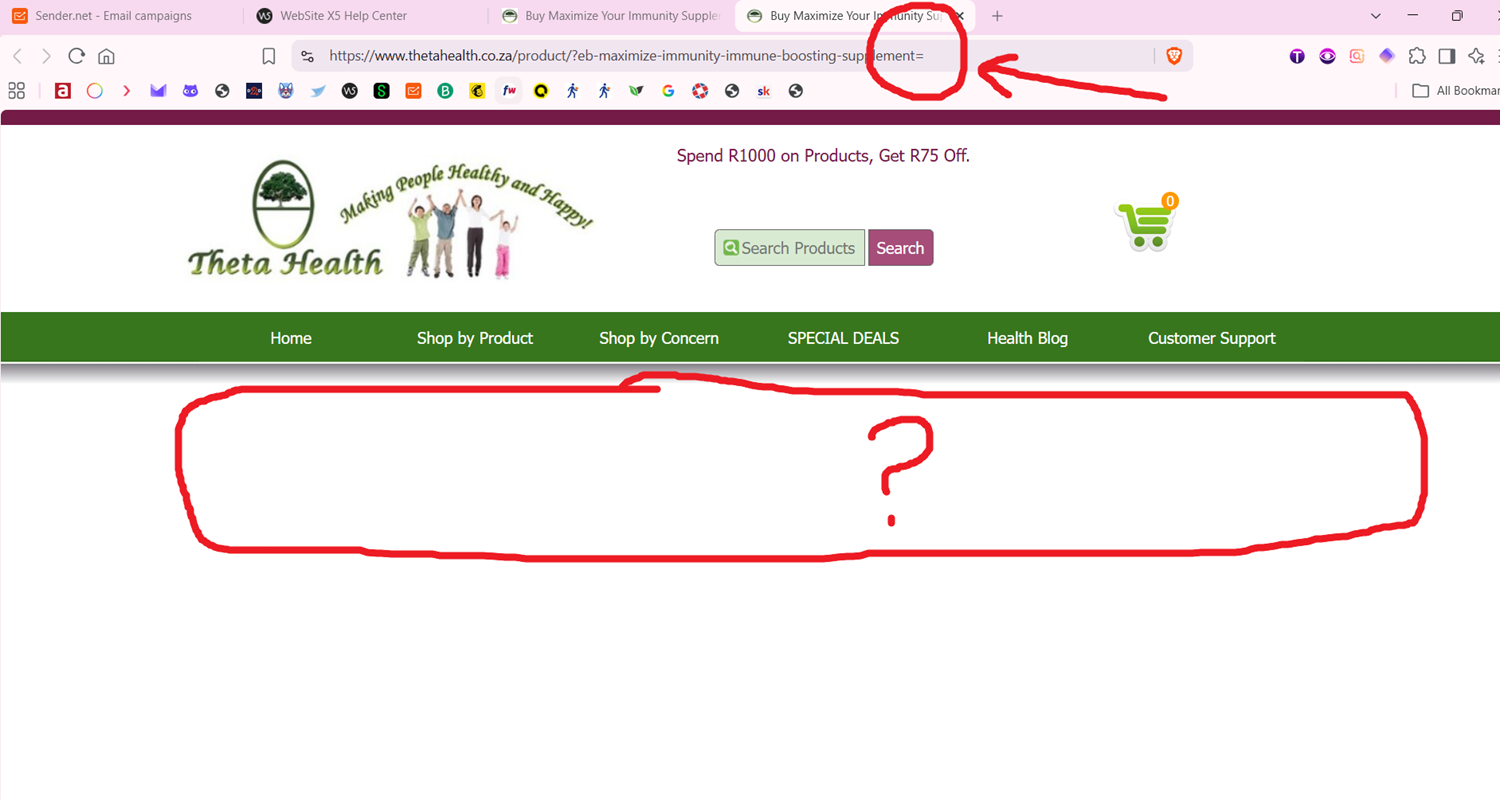
I use email marketing company sender.net to send emails to my subscribers. But, I'm not sure when it started, the links from Sender.net to my product pages end up with an = sign attached to the end of the URL. This = sign prevents the link from working properly; the products will not display.
When I place my URL links in the email newsletter before sending to my subscribers, there is no = sign. It gets added afterwards.
This is an example link that is produced after I send my email marketing campaign: https://www.thetahealth.co.za/product/?eb-maximize-immunity-immune-boosting-supplement=
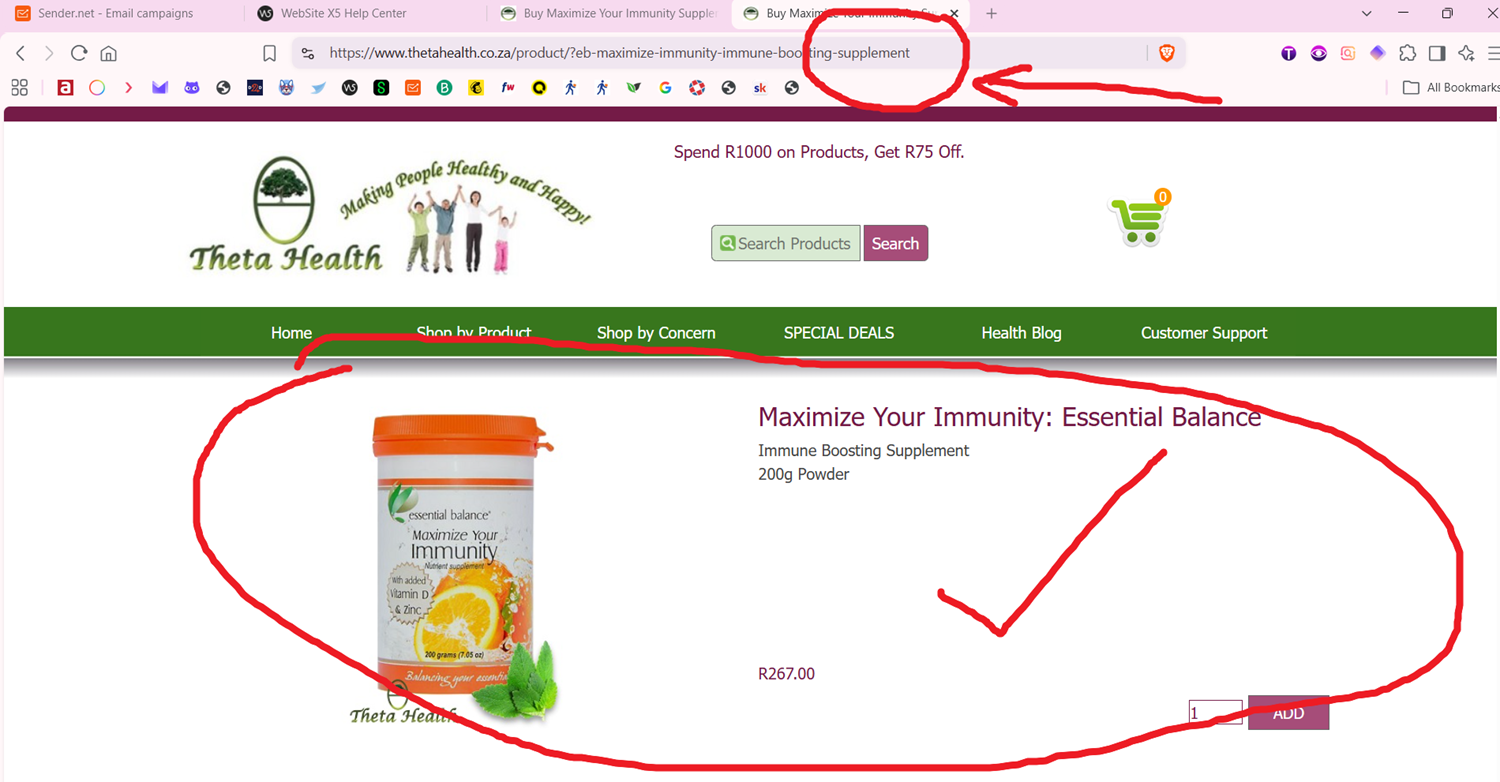
The correct link should be: https://www.thetahealth.co.za/product/?eb-maximize-immunity-immune-boosting-supplement
I contacted support at sender.net and this is what they said after their engineers checked:
________________________
"Our developers have informed us of the following:
It's standard behavior for URL query params to have the key=value shape even if the value is empty, and after parsing the URL, it's query-parsed as the standard shape. Even JS in the browser behaves the same as it is; even if we try to correct this, then it'll be incorrect for other versions, like correcting ?a= to ?a would be different for the URL that actually comes with ?a=
When email campaign systems process links to track clicks, they standardize URLs using standard web protocols. Under standard web rules, anything after a ? is treated as a query parameter in a key=value format.
Because the link uses a ? right before the product name (.../product/?organic-moringa...) without a value after it, the tracking system automatically formats it to .../?organic-moringa...=.
Why the page doesn't load: Your website’s server is configured strictly and expects an exact match without the = sign. When it sees organic-moringa-probiotic-drink=, it doesn't recognize the URL and fails to load the product page.
How to Fix It You have two easy ways to resolve this:
Option 1: Update the link format in your campaigns (Recommended & Immediate) Instead of using a question mark ? before the product slug, use standard path slashes /.
Current Link: [https://www.thetahealth.co.za/product/?organic-moringa-probiotic-drink](https://www.thetahealth.co.za/product/?organic-moringa-probiotic-drink)
Change to: [https://www.thetahealth.co.za/product/organic-moringa-probiotic-drink/](https://www.thetahealth.co.za/product/organic-moringa-probiotic-drink/)
Replacing the ? with a / prevents email tracking tools from treating your product name as an empty query parameter, ensuring the link stays clean and loads perfectly every time.
Option 2: Have your web developer update your site's URL handling Ask your web developer or store administrator to adjust your website's routing/redirect rules so that URLs containing a trailing = (e.g., ?parameter=) automatically resolve or strip the =. This will prevent any strict page load errors across all tracking tools.
_____________
That's what the technicians said.
So, I am checking on a solution to handle this problem and need some assistance. Website X5 automatically creates the (?) in the product page URLs so I have no way to remove it and replace it with the (/).
Is it Website X5? Is it my hosting? Does anyone have any solution?
Many thanks, Nigel.
Perhaps the experts can help with an .haccess file that transforms URLs without a question mark into URLs with a question mark.
The URLs without a question mark are sent via email, and the code in the .htaccess file ensures that the URLs receive a question mark in the browser, so that visitors reach the correct pages of the shop in their browser.
However, I am not an expert on the code in .htaccess files.
(It > En) ... ... try sending the shortened URL...
... for example this one:
https://l1nq.com/ebzvzbp
... to shorten you can use Bitly, TinyURL, Dub.co, LinkShort, etc. ...
.
ciao
.
Autor
Thanks for your input Daniel
Autor
KolAsim, that sounds like a great idea. I will try it next week on my next newsletter. Thank you!
... OK ... ciao
.
Autor
Thanks KolAsim, your idea worked a treat
.. .that's great to know, ... thanks for the feedback too...
.
ciao