
Enable adjustable cart form tools 
Autor: Joseph Enock Muliki
Visitado 432,
Seguidores 1,
Compartilhado 0
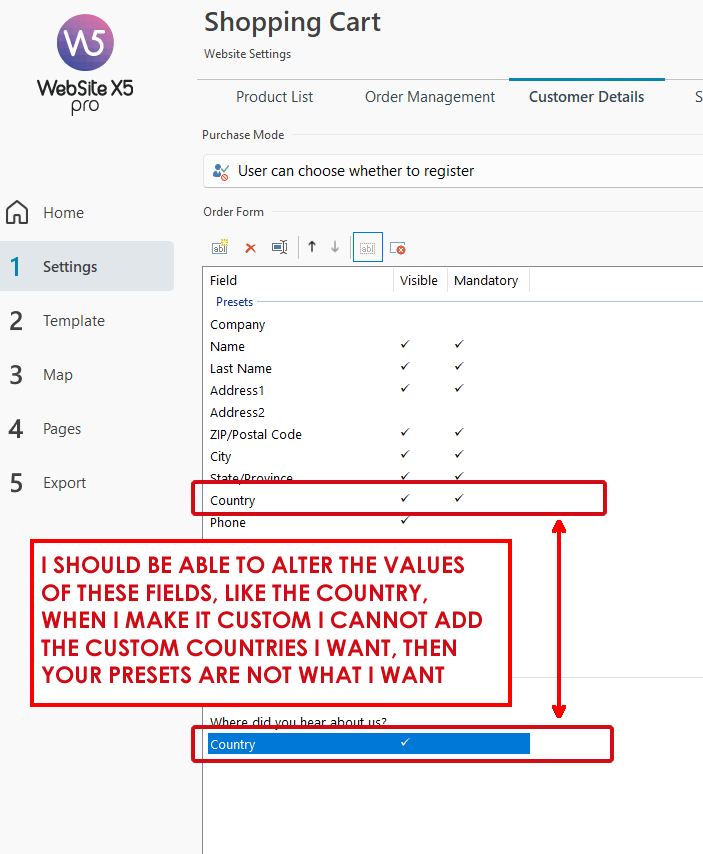
I should also be able to adjust the values of the customer details form. Any preset should be adjustable to the user's needs. We live in different dimensions of the world, and while, for example, ZIP codes, fax, VAT, etc may be important to one user it may not be to me and for the target market I seek.
Apparently, I cannot edit the country list in the customer details, but the market I seek is just one, and I have to subject my customers to selecting through a bunch of countries that are not relevant to them for the purchase.
Publicado em
The two country lists for the abbreviations and full names of the countries can also be edited in the Language Center, see link to instructions and screenshot below.
----- Instructions -----
How to translate text that is entered automatically
>> https://guide.websitex5.com/en/support/solutions/articles/44000617543
----- Screenshot: German version -----
Hello Joseph,
I will report this as a suggestion, together with the other Idea posts you opened.
I remain available.