
Multi-level menu 
Автор: Radko S.
Просмотрено 1041,
Подписчики 2,
Размещенный 0
I'm redesigning my website. I have four levels in the original website (maybe there will be a fifth one in time). When I started a completely new project, the menu only shows me two levels, even though I have four levels again. I didn't have this problem in the older version of Website X5. Does it have something to do with the variable width of the website depending on the resolution (PC vs mobile). How can I make it so that I can see all levels in the menu and not just the top two? I saved one level on the new website. Thank you.
Old website:
www.speedspage.cz
New test unfinished website:
http://www.speedspage.cz/Test_2026/
Размещено
Hello Radko,
could you provide a full screenshot of the sitemap, pointing out the levels that should be visible, so that the situation is clearer?
Thank you.
Автор
See attachment Speedspage.jpg in my original post
Left old web - 4 levels
Center new web - only 2 level
Right - tree new web
The new website is very similar to the old one, but not exactly the same. On the old website I can select the year of the lanparty. On the new one I can't. Likewise, the category of the given event Summary (Souhrn)/Participants \(Účastníci) /Report /Photos (Fotogalerie)
Every lanparty event has the same structure. Lan wxER has the same structure as UT lan 2004, UT lan 2005 etc.
is this enough?
To make the layer menus clearer, you could add symbols after the layer names, e.g. a filled triangle for the main levels and an unfilled triangle for the sublevels.
The sides of the main levels get a filled circle and the sides of the sublevels get an unfilled circle.
There are symbols for copying here, see
>> https://www.w3schools.com/charsets/ref_utf_geometric.asp
-----
Or place the symbols in front of the menu names, which might look better if the levels expand downwards.
x Radko S. ...(It > En) ...while waiting to hear what the STAFF can tell you, and aside from what can be done with the program's options and Daniel's logical suggestions, if you're interested, with a simple CSS-EXTRA code of mine and a single click in a second, you could achieve what you see in my three examples of this real simulation. If so, please let me know:
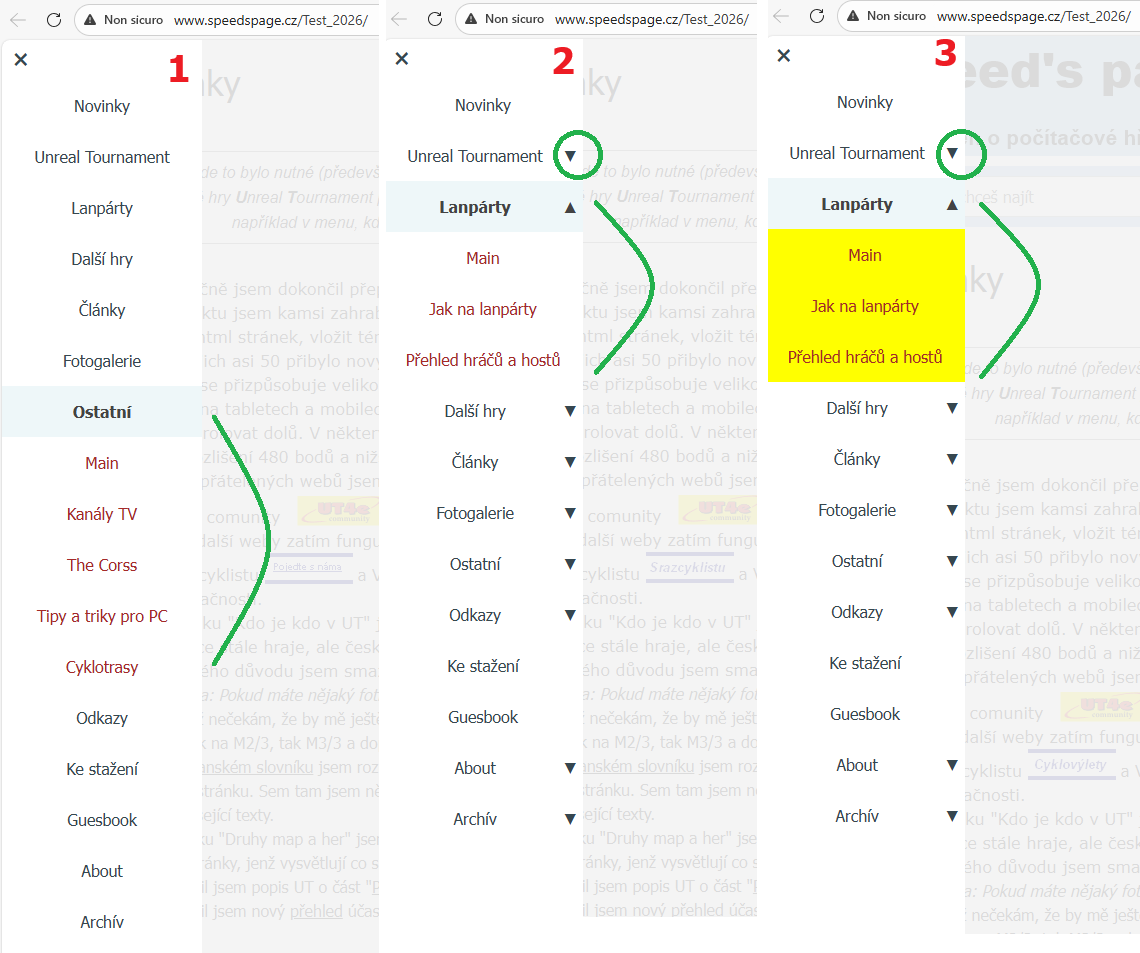
.
ciao
.
...you currently have 163 pages, which are difficult to navigate because you have to constantly click on the menu and level to open the page...
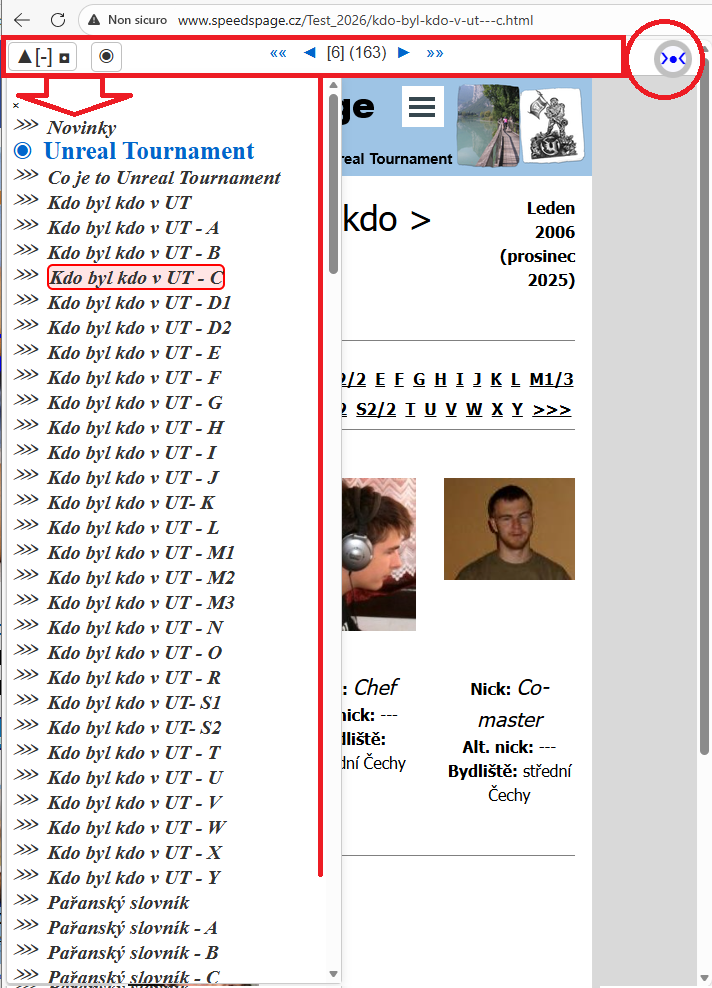
...you might be interested in an original invention of mine, currently unique and exclusive, that can be applied with just one click in a second...
...my EXTRA code applies a sequential pagination bar + a general site map with a clear, easy-to-use, and quick-to-consult list of all menu items:
.
Автор
Those labels are a good idea. I will definitely use them.
Автор
I think it will be enough to turn off these sub-items, since simple navigation is already included on the pages.I hope it's clear enough when I turn off the menu on the left.I added a screenshot with a description of how it works. I hope that when someone visits my website, they won’t need this guide.
I implemented another idea here, see
Test page >> https://findelinks.de/123test-autohandel/
Here the layers in the sitemap have been set to "hidden" so that they do not appear in the normal menu.
On the pages of the respective level, the "Menu" object has been placed at the top of the grid and it only displays the pages of the respective level as links.
----- 2 Screenshots -----
-----
-----
-----
Hello,
I had seen the attached image, but asked for a full screenshot of the current sitemap to have a better understanding of the situation.
For example, these levels are shown as hidden levels here, and so it would be normal for them not to be displayed when looking at the items under the Lanparty level.
... I see, you did an excellent and patient job, link by link. Well done...
... with mine, one click is all it takes to access the entire site...
.
Bye. ciao
.
Автор
I guess we misunderstood. The website tree on the right side of the screenshot is from the new version of the website. It's just not complete, because it would be very long.
Otherwise, thank you for the warning. I didn't even think that some levels were hidden. When I made them visible, everything works as it should. If you look closely, you can see that they are hidden. Which I didn't think at all, because I haven't hidden any items yet. I have no idea how I managed to do it.
Thank you very much. Problem solved.
I see that the new site is in HTTP: if it is not already planned, I would recommend enabling SSL and automatic redirection to HTTPS (perhaps this has already come up in other posts).