
Upgrade do websitex5 Pro 2026.2.4 - pomieszanie kolorów 
Autor: Piotr B.
Besucht 313,
Followers 1,
Geteilt 0
Po zainstalowaniu najnowszego upgradu do wersji Pro 2026.2.4 już strona domowa aplikacji miała inne kolory - załączam printscreen. Dalej jest już tylko gorzej, bo grafika w projektach, zmienia kolory w dowolny sposób.
O co może chodzić?
Pozdrawiam, Piotr.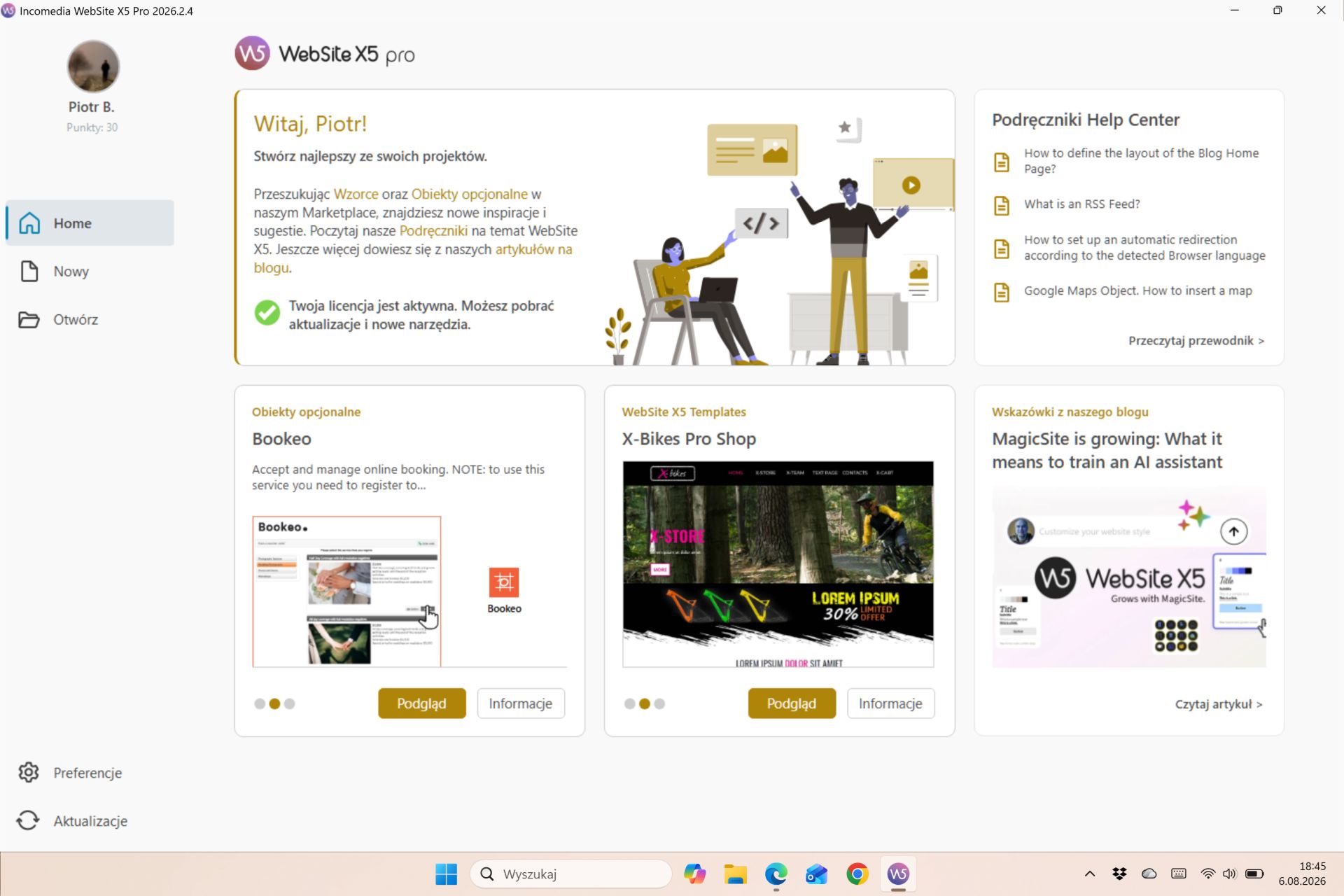
Gepostet am
Hello Piotr,
I am sorry about the issue.
There were no changes regarding this aspect of the software recently, so this may be involving some screen settings on your computer, could you please check whether anything was changed in this regard, for example by activating a different Color profile?
I remain available.
Online translation:
Cześć Piotr,
przykro mi z powodu problemu.
W ostatnim czasie nie wprowadzaliśmy żadnych zmian dotyczących tego aspektu programu, dlatego możliwe, że problem jest związany z ustawieniami wyświetlania na Twoim komputerze. Czy mógłbyś sprawdzić, czy coś zostało zmienione w tym zakresie, na przykład czy nie został włączony inny profil kolorów?
Pozostaję do dyspozycji.
Autor
Thanks for your reply, Eric.
After your feedback, I decided to upgrade to my second computer, and everything works fine. The color confusion was on my new laptop and only affected the WebsiteX5 application. I'll have to look into it. Thanks for your help.
Piotr
Autor
Once again... The issue is specific to the WebsiteX5 app, so it's hard to link it to the color profiles on the computer screen. It's a Microsoft Surface laptop with a Snapdragon X2 Elite processor, so it's ARM-based. I don't know if this significantly impacts color processing, but under these circumstances, I can't use the WebsiteX5 app on it. It's a shame...
Piotr
Hi Piotr,
having checked this issue, I confirm we don't support Windows ARM, so I fear we can't provide support for this specific issue, I'm sorry about this.
Thank you for understanding, I wish you a nice day.
Autor
Why not? What am I supposed to understand? Does Windows ARM support not matter because I only have a problem with it? Mayby not just me...
I wish you a nice day, P.