
Heading colors (H1/H2/H3) work in Preview but not after publishing 
Autor: Hakan SENGUL
Visitado 459,
Followers 1,
Compartido 0
Hello,
I'm using WebSite X5 Pro 2026.2.3.
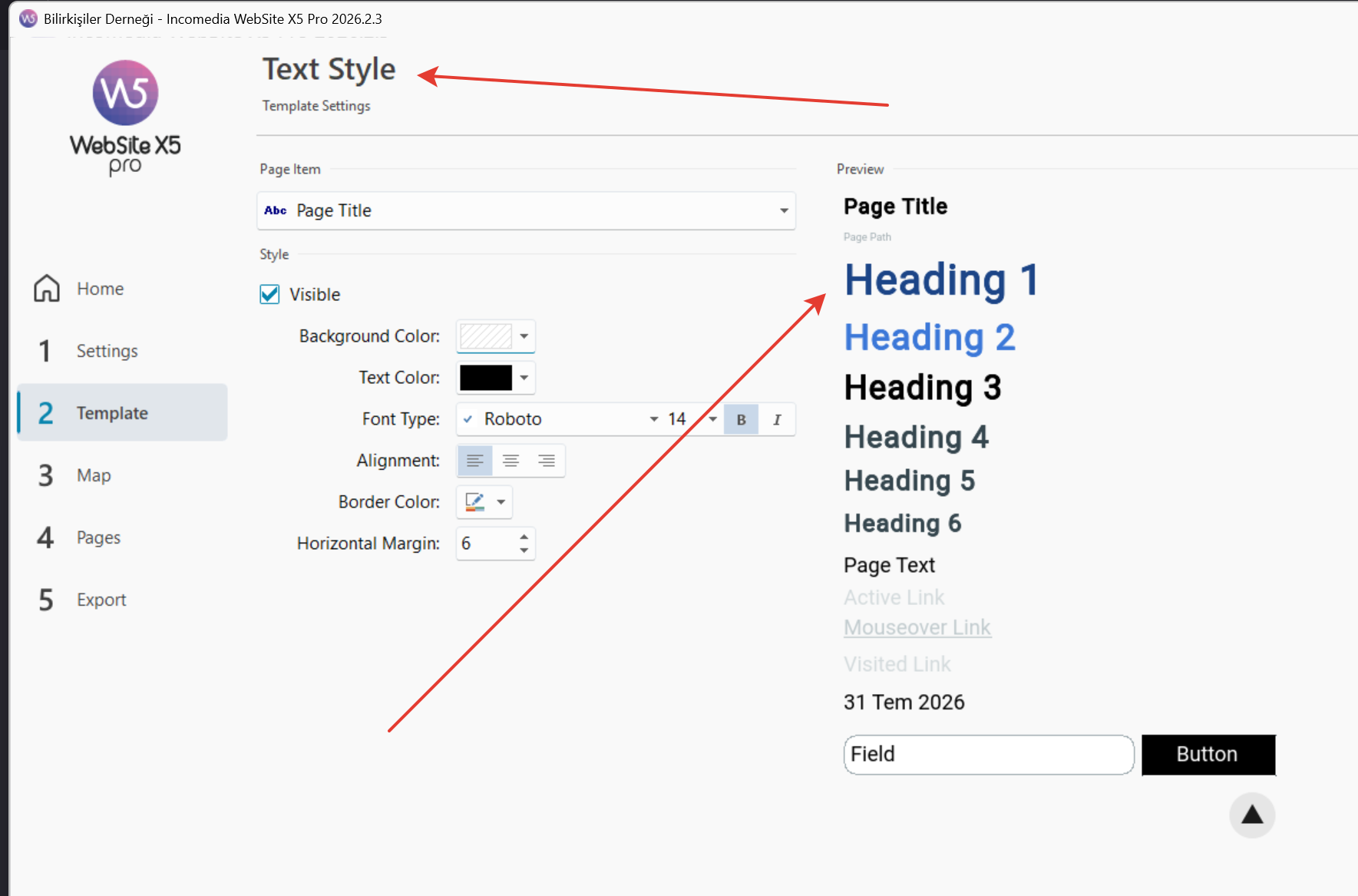
I have customized the H1, H2 and H3 colors in the Template Settings.
The problem is:
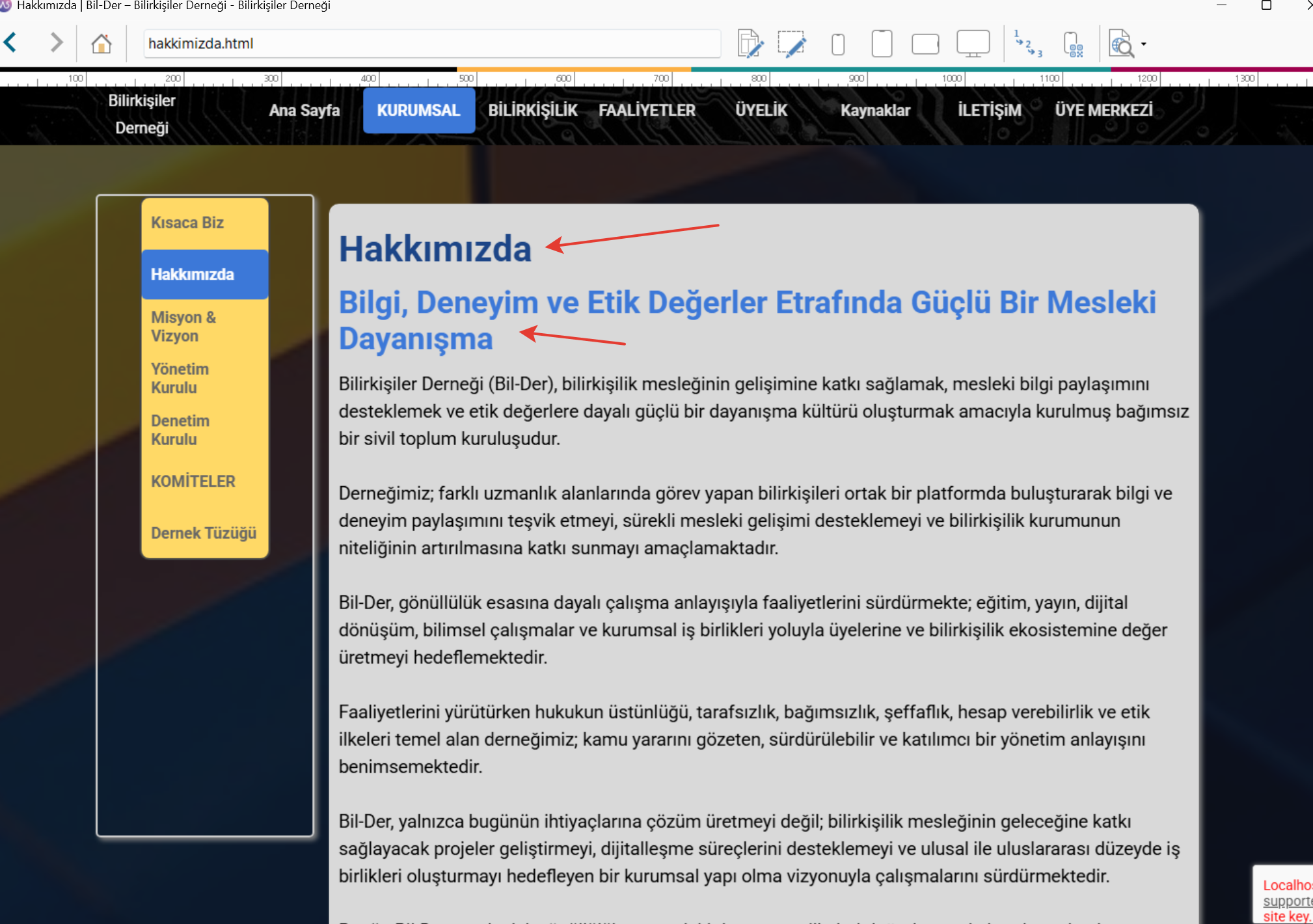
- In the WebSite X5 Preview, the heading colors are displayed correctly.
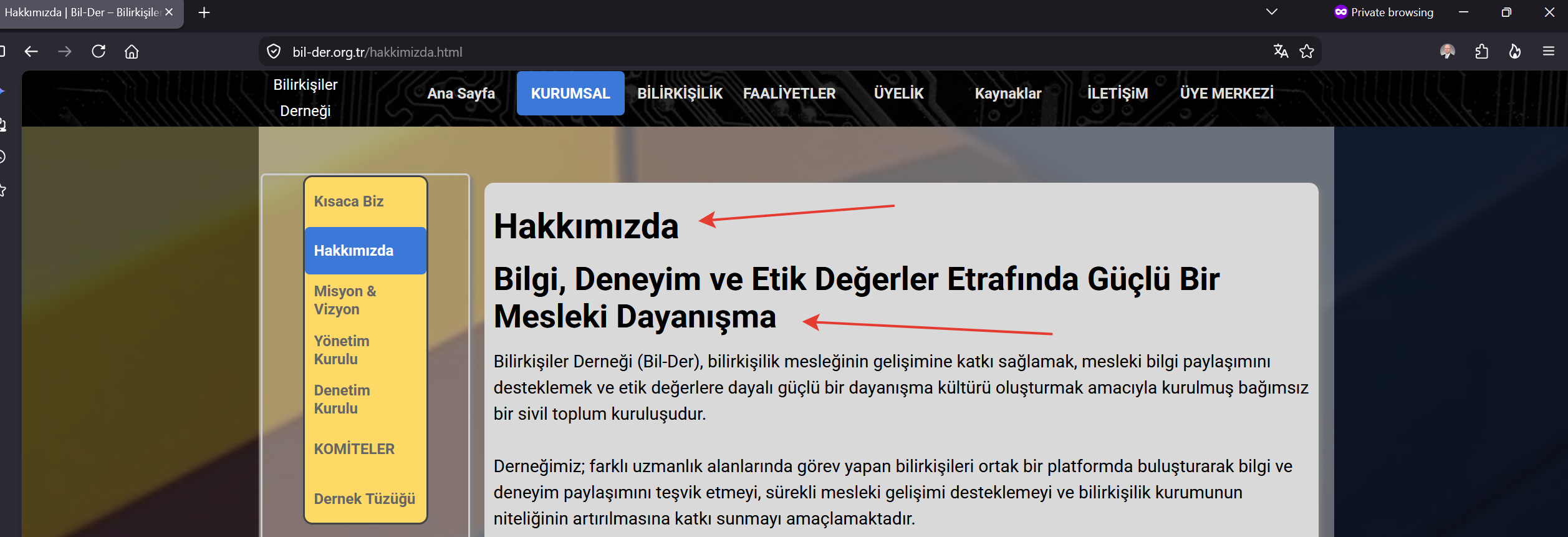
- However, after publishing the website, all H1/H2/H3 headings are displayed in black instead of the colors defined in the Template.
I have already tried:
- Clearing the browser cache.
- Testing in Chrome, Firefox, and Opera.
- Opening the website in Incognito/Private Mode.
- Republishing the entire website.
The result is always the same: the headings remain black.
This makes me think the issue is not related to browser cache.
I have attached three screenshots showing:
- The Template Settings (H1/H2/H3 colors).
- The correct Preview inside WebSite X5.
- The published website where the headings appear black.
Has anyone experienced the same issue?
Any suggestions would be greatly appreciated.
Thank you!
Publicado en
For me it is displayed in color in Firefox, Chrome and Edge, see
----- Screenshot -----
In the browser, use the keyboard shortcut Ctrl + F5 to retrieve the page from the web server again.
Autor
Thanks Daniel.
I tried 2-3 times and it worked.