
Menu color problem like on mouse over or current page 
Autore: Hakan SENGULHello,
Before that i used the 2024 version and have menu problem and upgraded my websitex5 to 2025.3.4 version. But same problem occured in my web page.
Main problem is;
All the colors works correctly in WebsiteX5's browser. For ex. Current page "Green" is working in all pages
but if i upload the project to server; Opera and Chorome now shows this color (current page) only on mouse over changes the color.
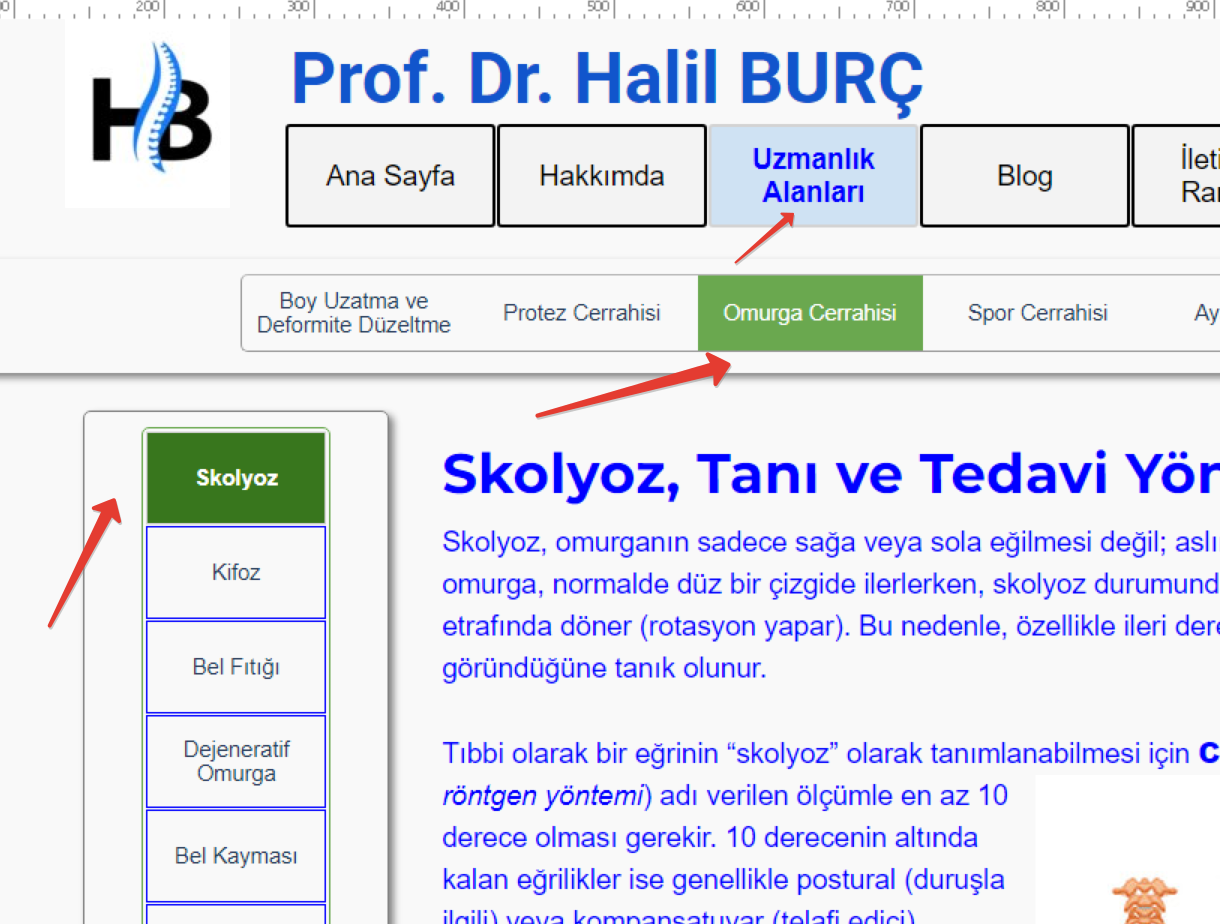
This WebsiteX5's browser and Current page (green) works correctly inside of browser.
---Opera Browser Below---
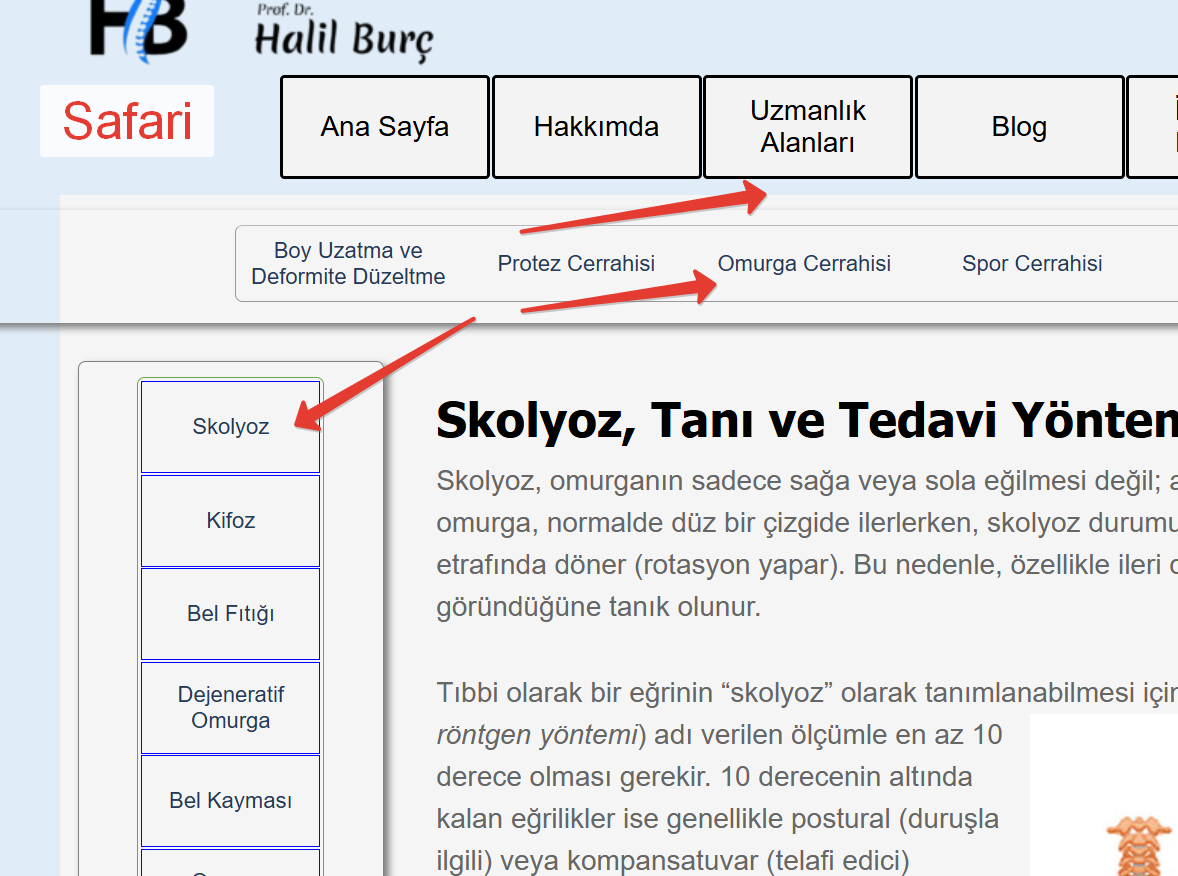 This is Opera. And not shows the green menu items (Current Page)
-- Chrome Browser Below--
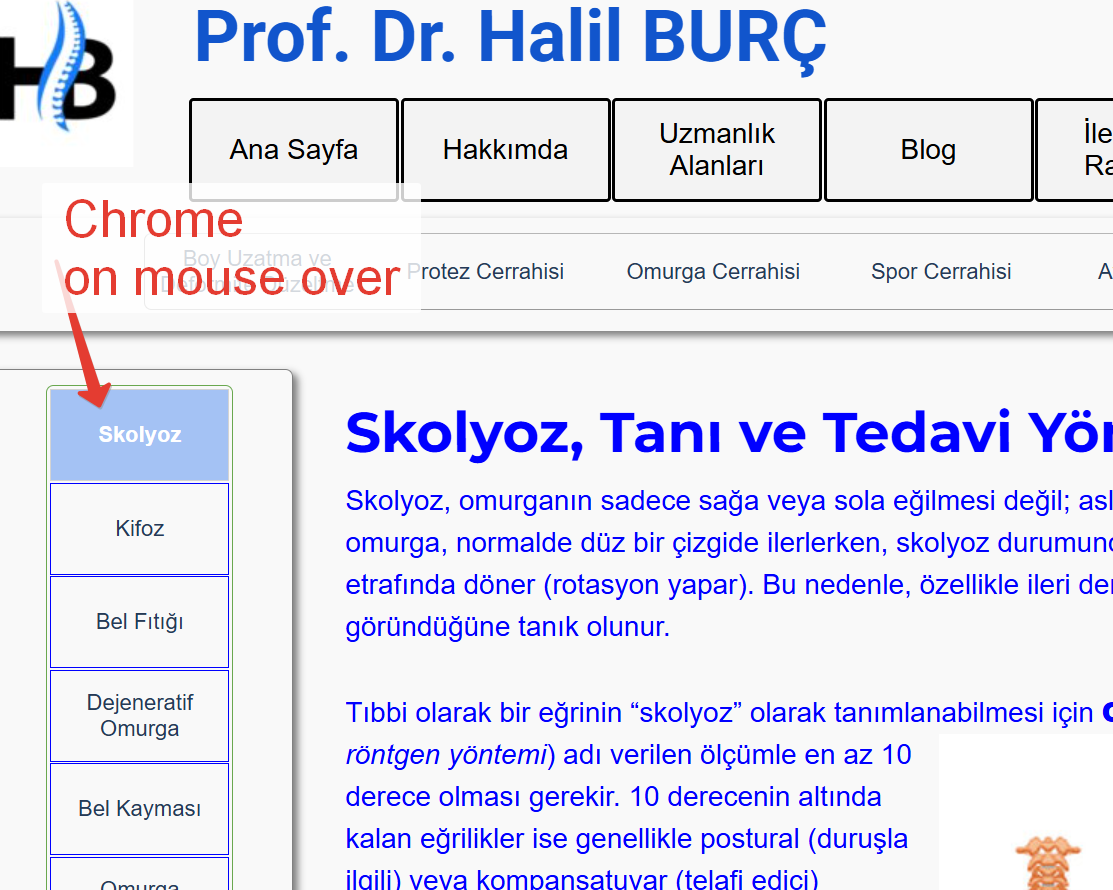 And this is Chrome browser and this is also not shows the green colored menu item for current page.
---Menu page is below---
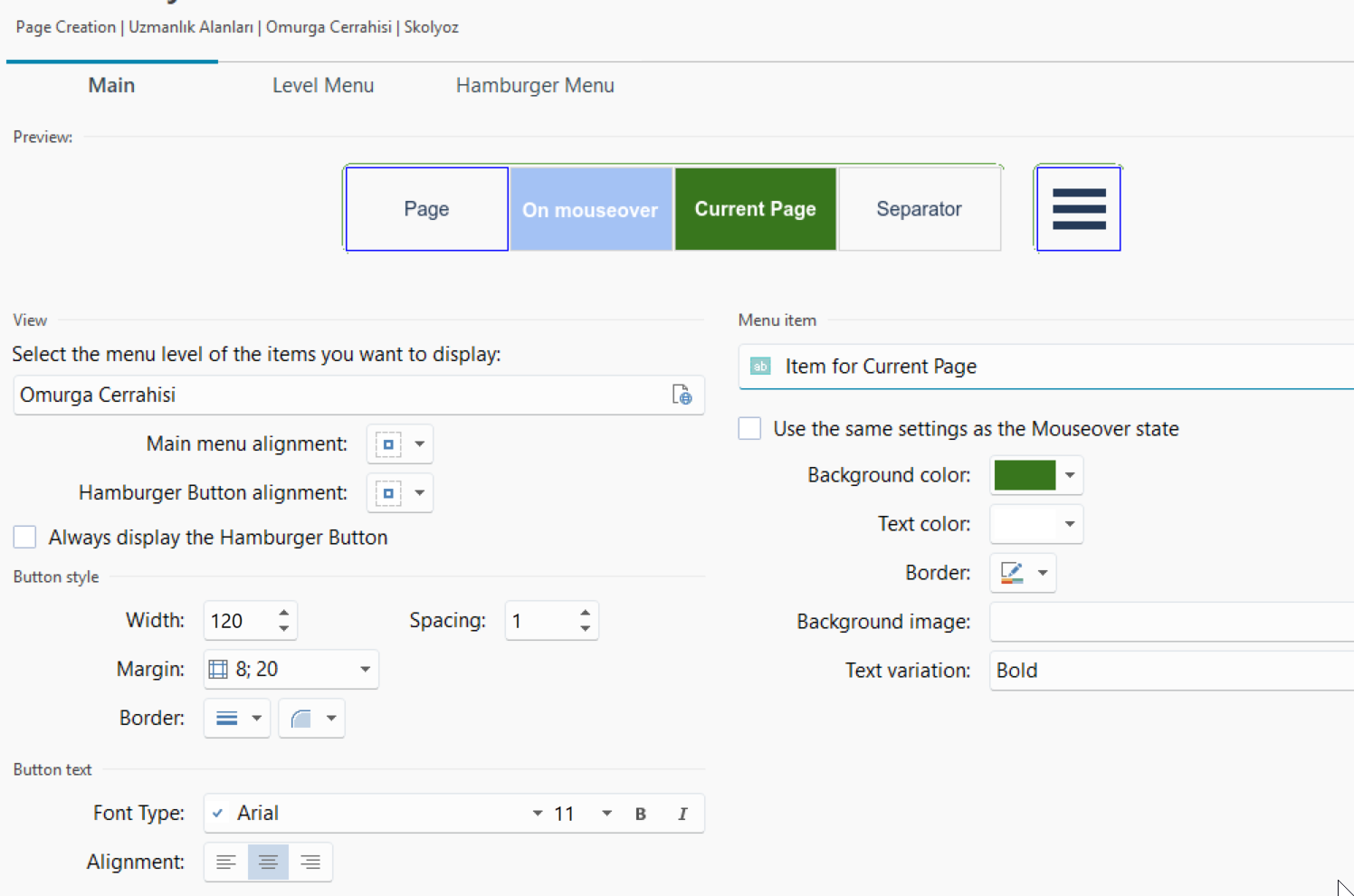
I tried couple of option:
-delete and reuse the menu
-Use in diffrent page etc...
Do you faced with this situation?
Regards
Hakan
To prevent the browser from still displaying an old website, use the keyboard shortcut Ctrl + F5.
Is the error still present?
Autore
Yes i did it ctrl+f5 and, I used the Incoginito or private window everytime.
Nothing is changed. But Websitex5's browser shows correctly.
The website is currently not online, only the construction site notice can be seen.
-----
Kısa Süreli Bakımdayız.
Under construction
-----
Autore
Yes we not opened it yet.
Try this:
https://halilburc.com/website/skolyoz.html
(It > En) ... ... you entered the wrong website address in Step 5...
... you've currently entered this one:
... NO! >> https://halilburc.com/
... and instead you need to enter this other address:
... Yes - OK >> https://halilburc.com/website/
.
ciao
.
Autore
Thanks a lot dear KolAsim, yes you are right.
Temporary address https://halilburc.com/website/
When we will finish everyting, publish it halilburc.com address.
I sent the page address for test. Thanks for warn me.
And it still not working the "current page" menu color.
Today;
I deleted menu and re setup.
Clear cached Opera, Used Private window and Ctrl + F5
I think that this is a bug.
(light blue color is on mouse over)
--Below picture Websitex5's broser--
-This Picture is Opera Browser--
Any opinion?
The Incomedia staff will probably make an offer on Saturday or Monday to send the project as an IWZIP file to Incomedai's email address so that the menu issue can be investigated.
Here my testpage >> https://findelinks.de/123test-opferhilfe/ - are the colors displayed correctly?
Tested with Firefox, Edge and Chrome browsers on a computer with Windows 11.
For me it looks like the screenshot below in all browsers.
-----
ciao, ... ...to be able to run real tests on the halilburc.com/website/ site, you need to correct the site address in Step 5 of the project with the actual address, and then perform the complete export online...
... I checked just now, and the site currently online doesn't appear to have been corrected, so it won't work...
...if the address is correct, then the normal menu will work as in Daniel's example...
...after you've made the correction, let me know, so we can test it...
.
Bye, ciao
.
Try to reconstruct all the project by ctrl + preview
and export ALL files
Autore
Before that i start to work with this project in v.2024
Opened the same template and try to make a new version. Its ok work.
I transfer some of the pages.
and upload to root directory
------
ciao, ... ...to be able to run real tests on the halilburc.com/website/ site, you need to correct the site address in Step 5 of the project with the actual address, and then perform the complete export online...
------
It worked...
It doesn't make sense that the website doesn't work outside the main folder.
Thanks KolAsim
Regards.
... OK... good job...
... meanwhile, I remembered an old invention of mine from the WSx5-v.9 days...
... it could or should work with normal menus or with levels with simple sub-levels, even when the site directory hasn't been declared...
... if by chance you're interested and would like to try my EXTRA code, just to give it a try, let me know, and I'll come back here; if necessary, it'll be a matter of just one click...
.
bye, ciao
.
Autore
Dear KolAsim
Please share for the future.
Because i'm one of the oldest user of X5 and interested it.
... OK ... ...I should see the LINK to be able to evaluate any inconsistencies with your version...
...anyway, I'll post this code anyway. I invented it, not only to highlight the menu where it didn't work, but also to easily highlight it in a customized way...
...you can apply it with a click in Step_1 in the Expert | HEAD section:
<script>
/** -- evidenzia personalizzando voce del menu della pagina corrente x WSx5 by KolAsim -- **/
$(document).ready(function () {
styleK = '<style>.imMnMnCurrent2{background:red !important}</style>';
$("head").append( styleK); var currentPageK = window.location.pathname.split("/").pop(); $(".label").each(function () { var href = $(this).attr("href"); if (href === currentPageK) { $(this) .closest(".label-wrapper") .addClass("imMnMnCurrent2"); $(this) .closest(".imPage") .parents(".imLevel") .first() .children(".label-wrapper") .addClass("imMnMnCurrent2"); } }); /*K*/ });
</script>
.
ciao
.