
Customize Pop-up window Showbox 
Автор: Hanafi Salman
Просмотрено 673,
Подписчики 2,
Размещенный 0
Dear all,
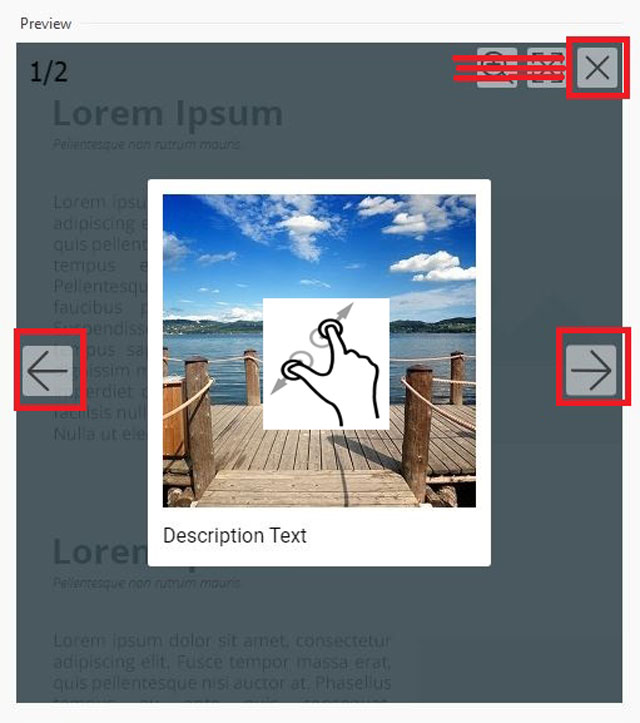
Please help to customize a pop-up window showbox to make it simple using close button and prev/next button only.. To zoom, simply pinch-and-pinch to minimize or maximize.
Perhaps there may be some scripts that can be used to customize this.
Thanks..
Размещено
(It > En) ... ... perhaps you might be interested in the two methods applied to images, here, popup and showbox+popup:
>> https://kolasim.websitex5.me/mostra-nascondi/expert.html
Hi, ciao
.
In the settings below under Options, uncheck the last 2 boxes, then the symbols are gone, see
----- screenshot -----
Автор
@KolAsim, thank you for the example, I have tried it and it can be applied for single image.. pinch to zoom works.. but how about some images to be set link for showbox gallery..
Автор
@Daniel, I have unchecked for the two bottoms, but pinch zoom is not working at all on mobile view..
Hi, is it okay for you as in my previous example, if you click on this image it opens in the showbox and if you click it in the showbox it opens in real size in the popup...?
showbox click >
.
ciao
.
I only have a laptop and can only simulate the mobile view. Maybe other users can test it.