
Menu is completely gone after clicking on a blog item 
Author: Tonnie S.
Visited 700,
Followers 1,
Shared 0
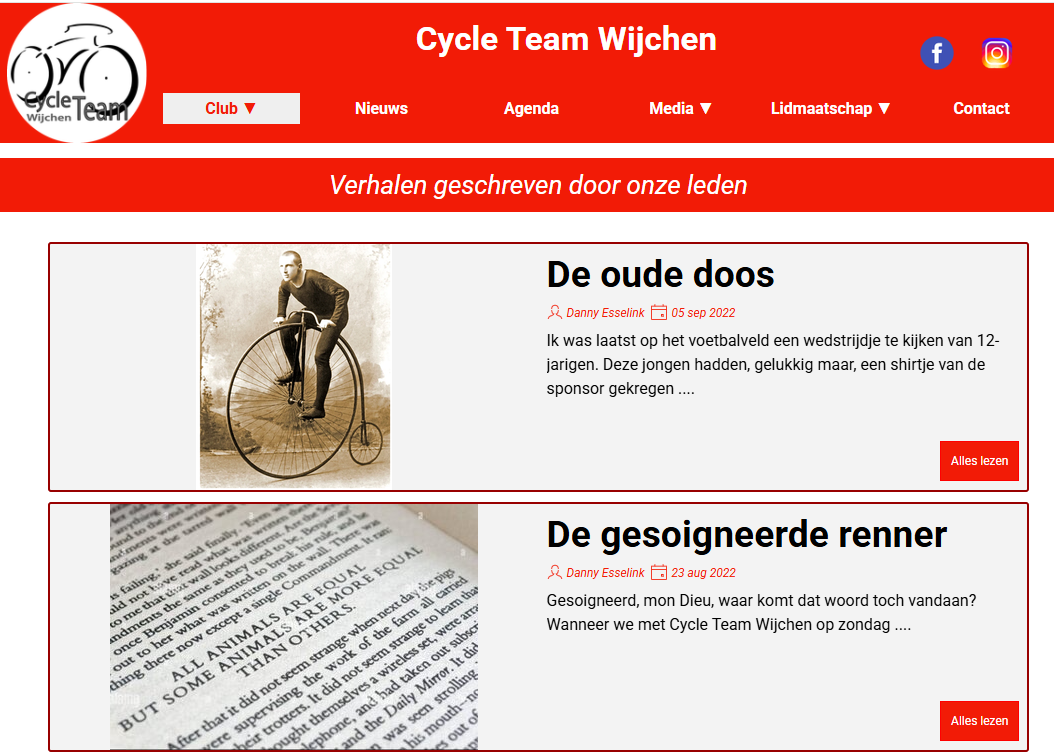
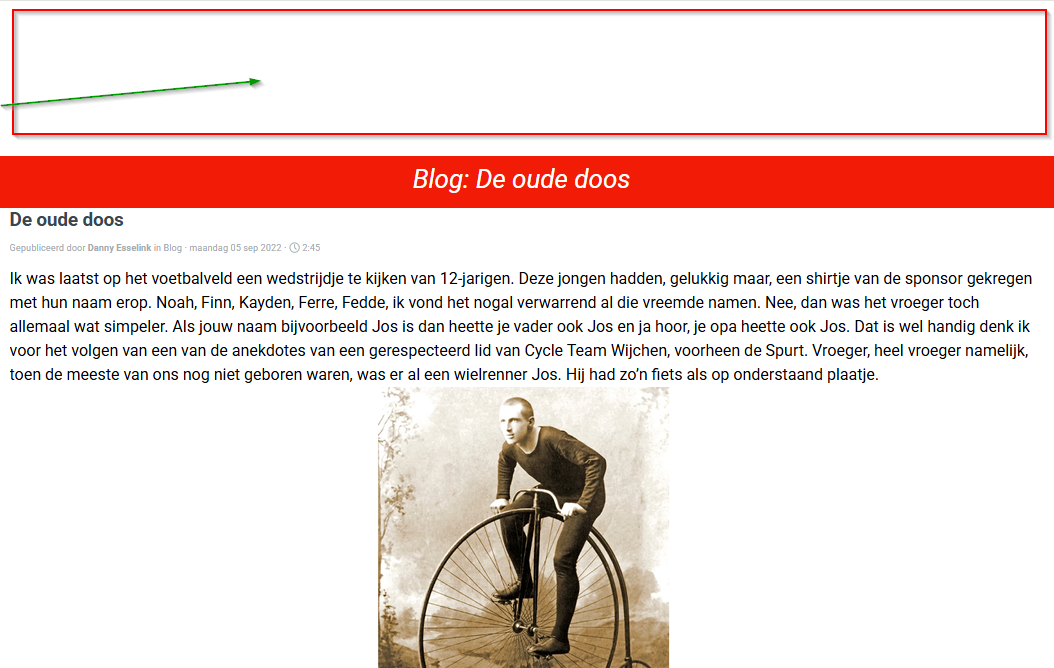
I have done some changes with css code tot show an extra line in the blog item page. But when i click now on the button <Alles lezen> the whole menu is gone. If I remove the CSS code the problem persists. My URL ishttps://tonnie-stevens.websitex5.me/
Posted on the
Hello Tonnie,
I am sorry about the issue, is this behavior present also when previewing the website, or only after exporting it?
Thank you.
...in the CSS tab you have this statement:
#imPageExtContainer.imBlogExtArticle #imHeader {
display:none;
}
...which you must have activated somehow.
...check the options you applied in the Blog's Graphic Properties for the HEADER; perhaps you used the "Hide for this page" option...
...if you can't do it, then you can always use the EXTRA code with the reverse statement...
.
ciao
...
<style>
#imPageExtContainer.imBlogExtArticle #imHeader { display:block !important; }
</style>
.