
Website X5 Pro Ver 2026.1.7 Start Screen Freezes on Windows 11 
Author: Joe G.
Visited 504,
Followers 2,
Shared 0
When opening Website X5 Pro Ver 2026.1.7 on Windows 11 the start screen freezes as shown in the attached image. The progress bar continues to cycle, but it does not progress beyond that point. The previous version of Website X5 Pro was behaving similarly and the solution for that was to wait for an update from Incomedia. However this latest update does not fix the problem.
Restarting Windows appears to be the only work-around, after which Website X5 Pro may start properly about 50% of the time.
Hope you can help. Regards, Joe G.
Posted on the
Hello Joe,
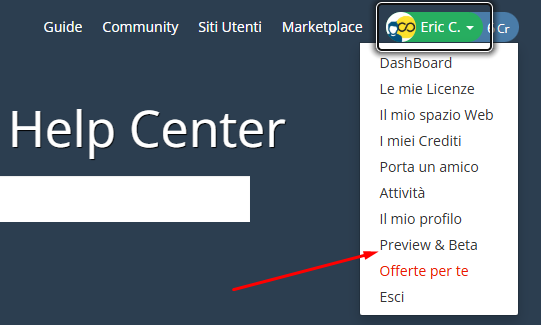
I am sorry about the issue, this seems to be the problem associated with Windows security update KB5083769.
A fix has been included in version 2026.1.8, currently released as Beta, so you can either temporarily uninstall the security update from the Update history section of the Windows Update settings and wait for the release for all users, or enable Beta versions for your licence here in the Help Center, at least for the time being, and use this installer:
https://static.incomedia.eu/websitex5.com/v2026.1/2026.1.8.0/wsx5_pro.exe
Same her. When will the fix be released? This is urgent. The problem also is that because I can not start X5, I can also not load the update when available.
Hello Jan,
it will be released next week for all users, alternatively if you need to make urgent changes, you can enable the Beta versions for your licence and use this installer
https://static.incomedia.eu/websitex5.com/v2026.1/2026.1.8.0/wsx5_ev.exe
You can disable Beta updates again later next week if you wish.
Author
Hi Eric,
Windows 11 would not allow me to uninstall KB5083769. However, Website X5 Pro version 2026.1.8 completely solves the problem. The application starts normally every time now.
Thank you for your help.
Regards,
Joe.