
Display two hoverbutton object per row in a page on mobile view 
Auteur : Wakhid Khusaini
Visité 899,
Followers 1,
Partagé 0
Hi Everyone..
>> https://helpcenter.websitex5.com/fr/post/273218 there is solution to display 2 images in one row on a page.
Is there also a code to display 2 hoverbutton objects websitex5 in a single page on smartphone view?
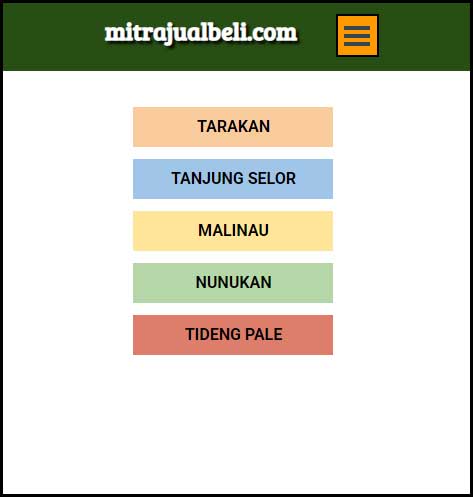
One single hoverbotton object in one row waste the empty space on both the right and left sides.
Posté le
Maybe the CSS experts can offer a solution here.
Unfortunately, my knowledge of CSS is too limited, so I haven't been able to find a solution yet.
If there are only 5 buttons, then a 2-column display makes little sense, as there is enough space and the buttons stand out better individually.
Auteur
The button will be added, the plan is to make it 14, it is still in the data collection stage.
If the display is only 1-column for 14 buttons, it will look like a lot of wasted space.
Auteur
If there is CSS code for this, is it also possible to apply it to other x5 objects, for example images, gallery or portfolio objects?