
Error message while uploading website 
Auteur : Mandar V.
Visité 696,
Followers 1,
Partagé 0
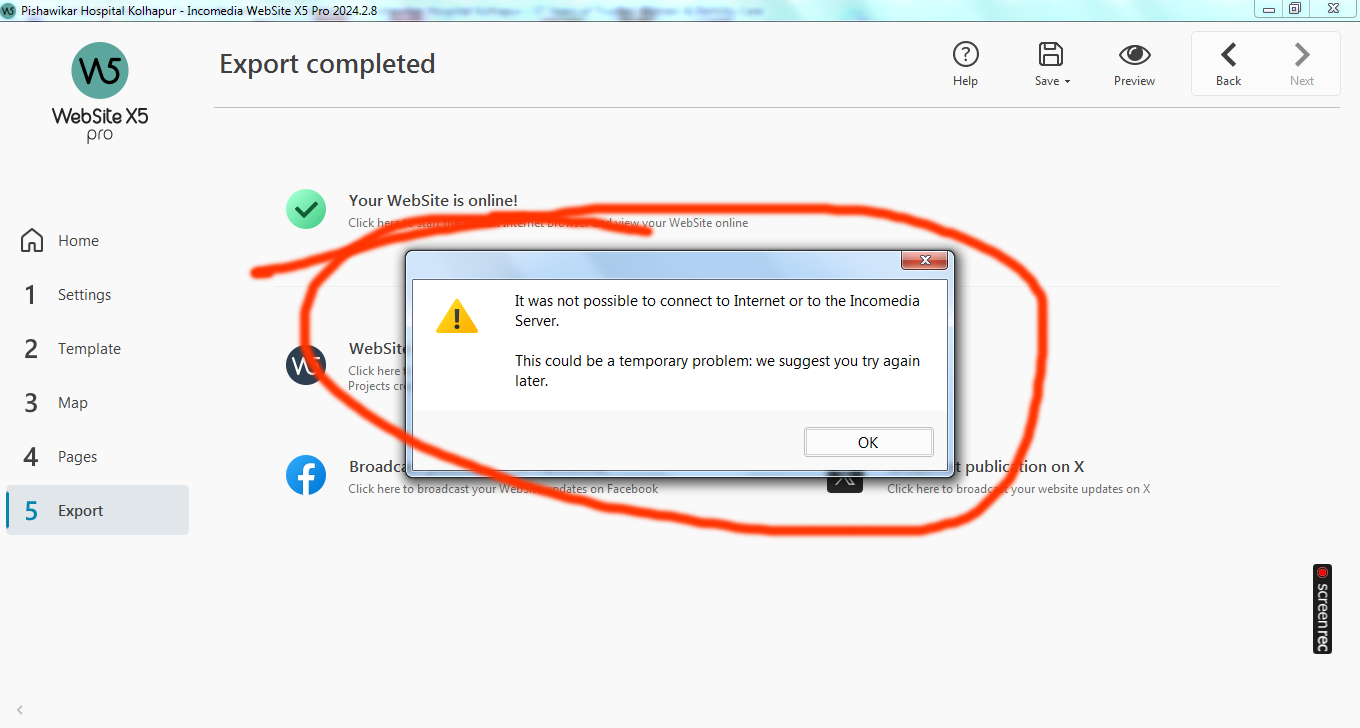
Error message is appearing while uploading a website. This message appears after export is complete.
Will there be any problem with my website display for viewrs?
Posté le
The Incomedia employees would have to answer from Monday whether the report has any impact.
Maybe WebSite X5 just wanted to "call home", for whatever reason.
Hello Mandar,
do you see this message, or anything similar, at other times when working with WebSite X5, such as when you start it?
Thank you.
Auteur
Whetever I face is in front of you in the form of a Screenshot.
Hello,
thank you, so it appears only when exporting.
Is it displayed every time you upload the website, or only sporadically?
Auteur
It appeared approx 4-5 times during 10 FtP exports.
Hello Mandar,
thank you for clarifying.
Has it always appeared, or has this started occurring only recently, and does it affect multiple projects, if you publish more than one, or only specific projects?
As you are not using a WebSite X5 Hosting space, this should not affect the display of the websites in anyway, but I will look into the matter to see that may be causing this.
I remain available.
Auteur
Thanks Eric C.
It happened in case of one project only. Haven't tried any other website as I work on 1 site at a time.
I like your words... I remain available.
Thanks for it once again.
Regards
Hello Mandar,
please download the attached file and extract it.
You will have a file called debug.json.
Place it at the path C:\Program Files\WebSite - Pro\Conf
This will enable debug mode, which allows the software to generate additional information on errors and processes when it's running.
When you encounter this message after exporting again, please do this:
1) Contact your hosting provider and ask them to provide recent server logs
2) Go to C:\Users\YourUsername\AppData\Local\Incomedia\WebSite X5 - Pro\Logs and find the files generated on the day of the export.
You can provide both the files from your provider and the ones found on your PC to support @ incomedia.eu (without spaces) and we will check whether we can find traces of what leads to this.
I remain available.
Auteur
Thanks.
I'll do it as per your suggestion and guideline.
Shall let you know the outcome.
Regards