
Hamburger menu 2nd & 3rd levels slide out instead of down 
Auteur : Jerry G.
Visité 506,
Followers 1,
Partagé 0
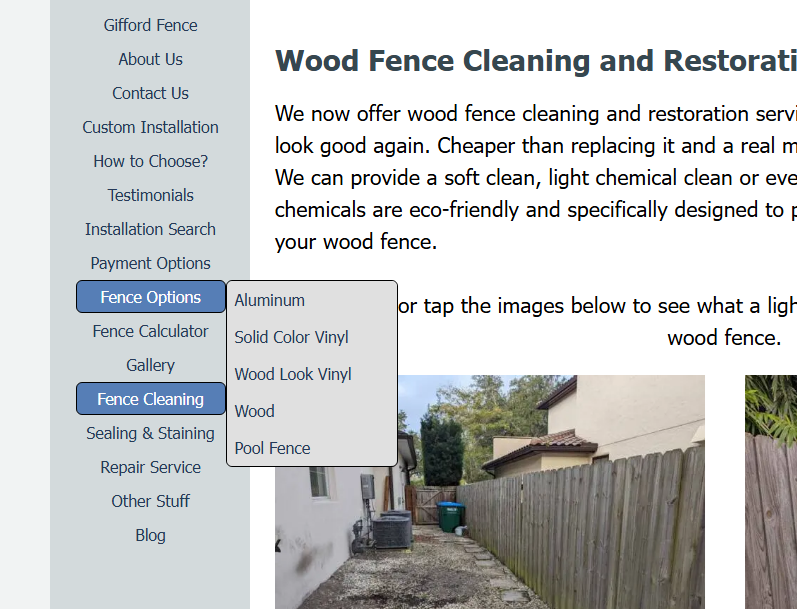
Is there a way to make the hamburger menu sub levels slide out like it does on the regular desktop page menu? I have tried every option I can find but I can't find a way to do it within the program or using any add on objects.
Desktop Menu
Mobile Menu
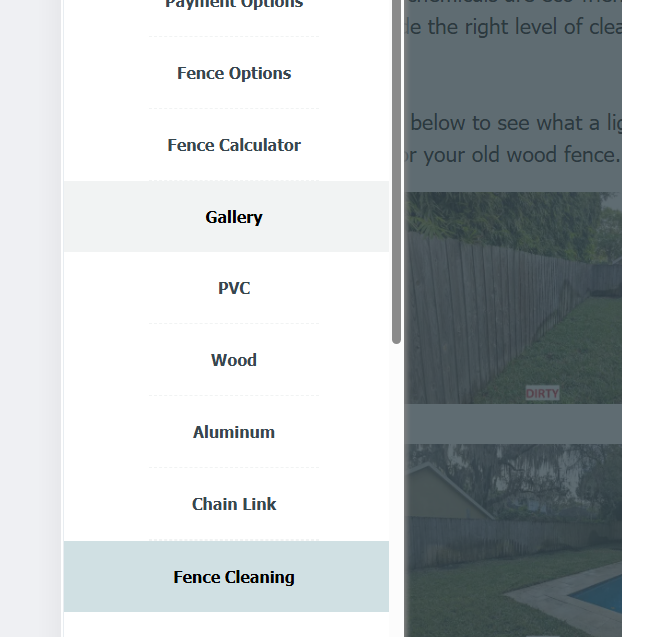
The mobile menu is just confusing especially if someone is on an older iphone or a iphone mini. The lack of ability to change the background color of sub level menus is disappointing as well.
Posté le
I don't have an answer to the question, but I do have a suggestion on how to mark the levels and the menu items of the levels so that they are easier to recognize for visitors, see 3 screenshots below
I used these symbols, which can be copied like letters and the menu name added, see
>> https://www.w3schools.com/charsets/ref_utf_geometric.asp
----- (1) -----
----- (2) -----
----- (3) -----
Auteur
I got tired of messing with it in X5 so I just created a new customer hamburger menu with css & javascript. Probably should have just done it a while ago. X5 made it a little more complicated to do because of how it handles the header compared to the rest of the page but now I have a hamburger menu that works like Menu Overlay with sub menus and and color accents. Cheers.
(It > En) ...normally, you can scroll, so the problem shouldn't exist...
...if you want, the overlay menu can also be simulated with the normal hamburger menu with a minimal EXTRA code, without overdoing it...
.
ciao
.