
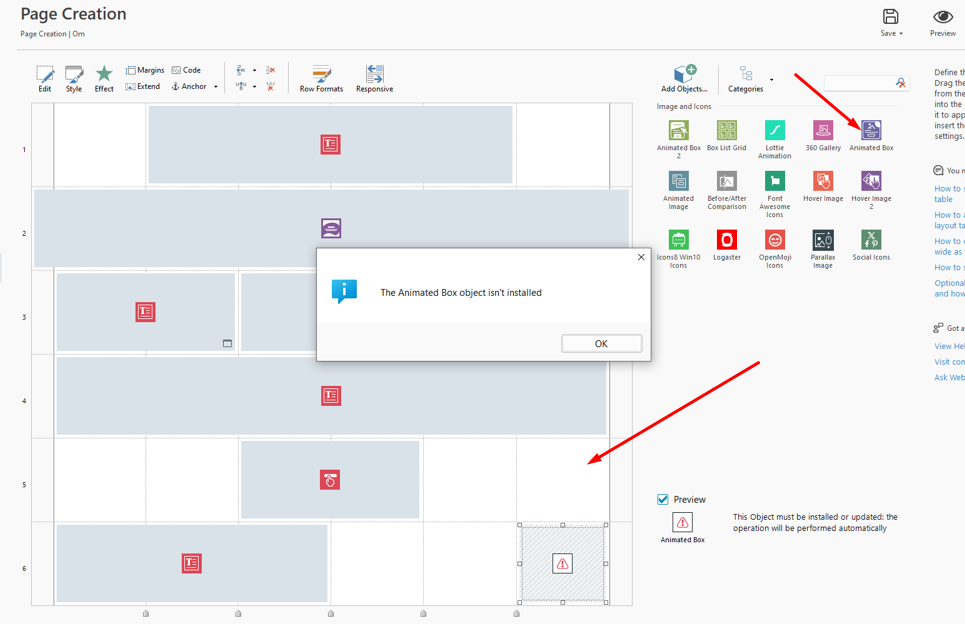
After update object is missing (animated box) and cannot be reinstalled. 
Author: Dag J.
Visited 462,
Followers 2,
Shared 0
The object is in my list but doesn´t work and I am requested to update or install.
See enclosed screenshot.
Posted on the
Hello Daj,
I am sorry about the inconvenience.
Could you please drag another instance of the object into the page's grid and check the situation afterwards?
I remain available.
Author
Hi Eric,
All other objecs is working fine as far as I know. Only have problems with Animated Box.
Hello Dag,
have you tried what I mentioned?
In case there was a misunderstanding, I was referring to dragging another Animated Box from here to an empty space in the grid, as placing an object would ordinarily have it install and update if necessary.
I remain available.
Author
Hi again,
Yes, I have tried that with the same result.
Even tried on different pages.
Author
I have also tried to reinstall the whole program Website X5-pro, but the same error code occurs.
Hello Dag,
please close WebSite X5, and go to this path on your computer: C:\Users\YourUsername\AppData\Local\Incomedia\WebSite X5 - Pro\PluginApps
In here, find and delete the folder named 20914175-bff1-418c-b34b-3e4b31366d3, which corresponds to the Animated Box object.
Then, open WebSite X5 again and try to open the object's settings or to drag it into the page's grid.
I remain available.
Author
Hi Erik,
Many thanx. Now it works perfectly! :)