
New update | Screen bug 
Autor: X5 Croatia
Visitado 1172,
Followers 1,
Compartido 0
I work on large screen (3440X1440), after i update app today i receve this screen...
Publicado en
Hello,
I am sorry about the inconvenience, we are investigating this.
Could you please tell me what operating system and update version you are at, and what scale/zoom you are working with in your screen settings, in addition to the resolution?
Thank you.
Autor
Thank you !
W11 / 125% zoom / 3440 X 1440 / 2026.1.6
Hello, I have the same issue after udate with same settings as X5 Croatia.
Still no solutions?
Thanks
Luckily my screen only has 1600 x 900 pixels at 17 inches and I don't need more space for WebSite X5.
Autor
Daniel W. we test all our sites on more than 24 devices in our offices... Unfortunately, the X5 application above 1920X1080 is not competitive in the market, Incomedia knows this too, but they seem to be ignoring our requests...
But some of our projects are still on this platform...
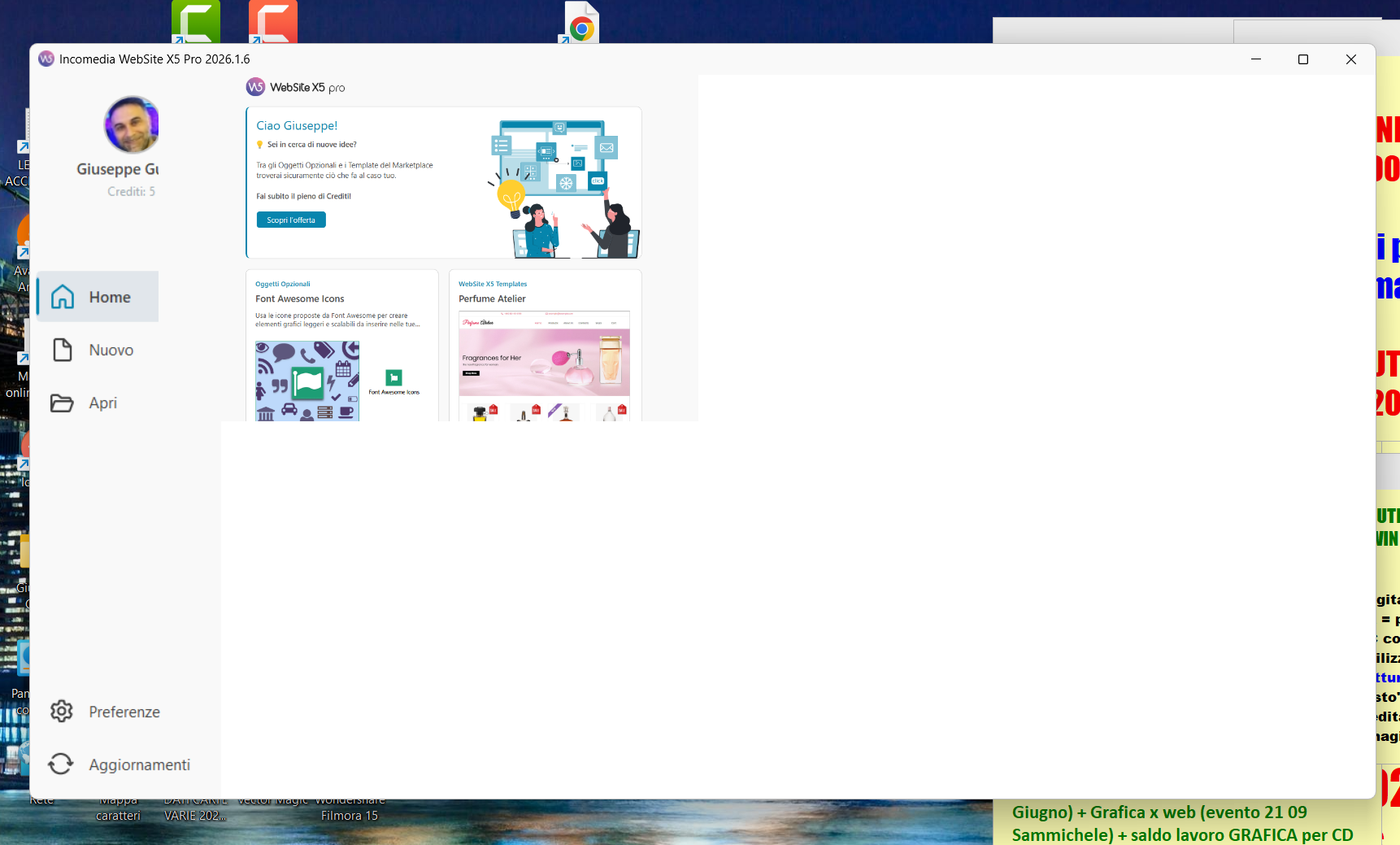
Stesso problema, non sono cambiate le impostazioni del sistema operativo e dello schermo, non è un problema di zoom o altre impostazioni Eric, ho anche la precedente versione di Website X5 installata e con quella non ho nessun problema di visualizzazione.
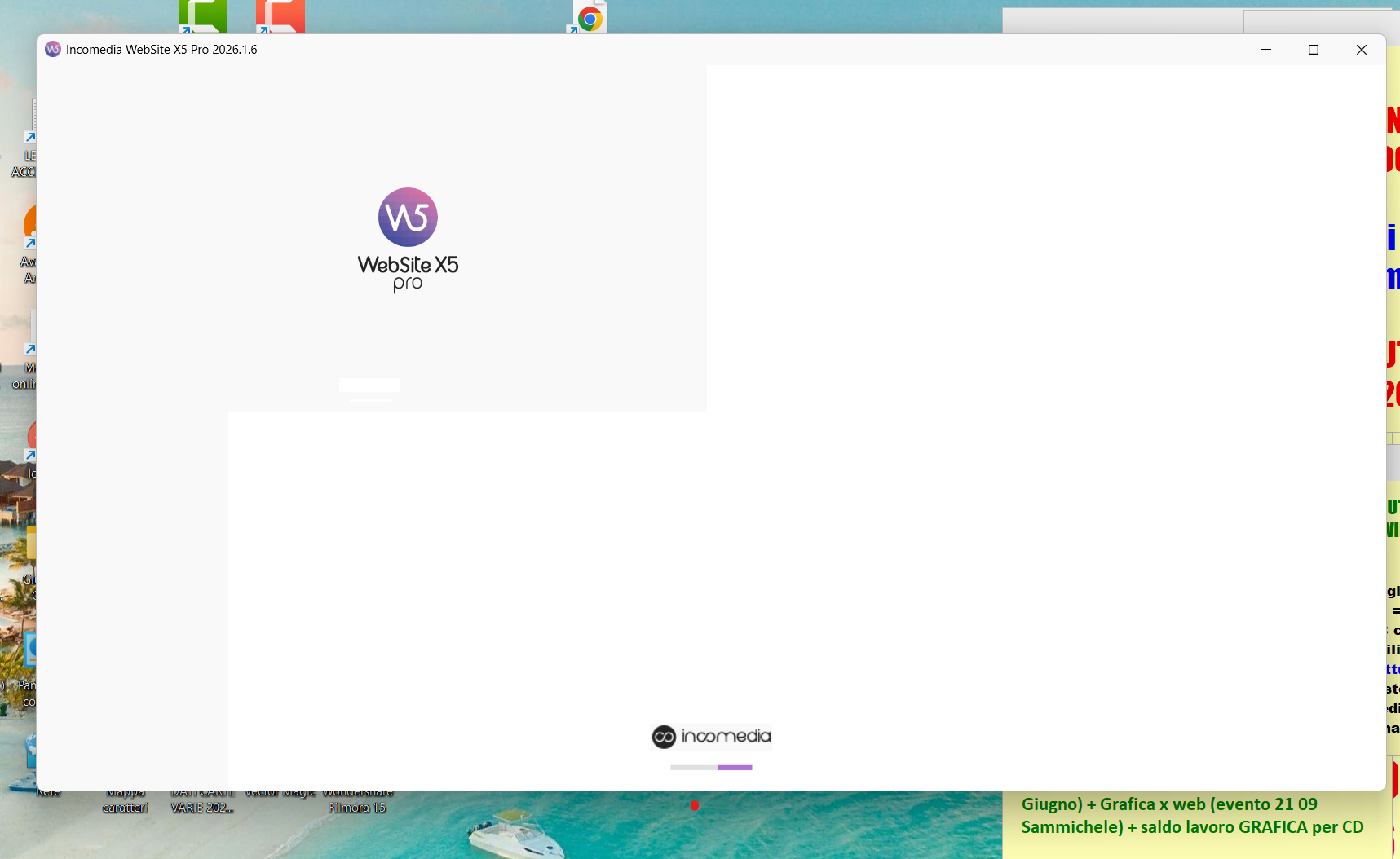
All'apertura del programma...
... e al caricamento della prima schermata:
Mentre con la 2025.2 è tutto regolare:
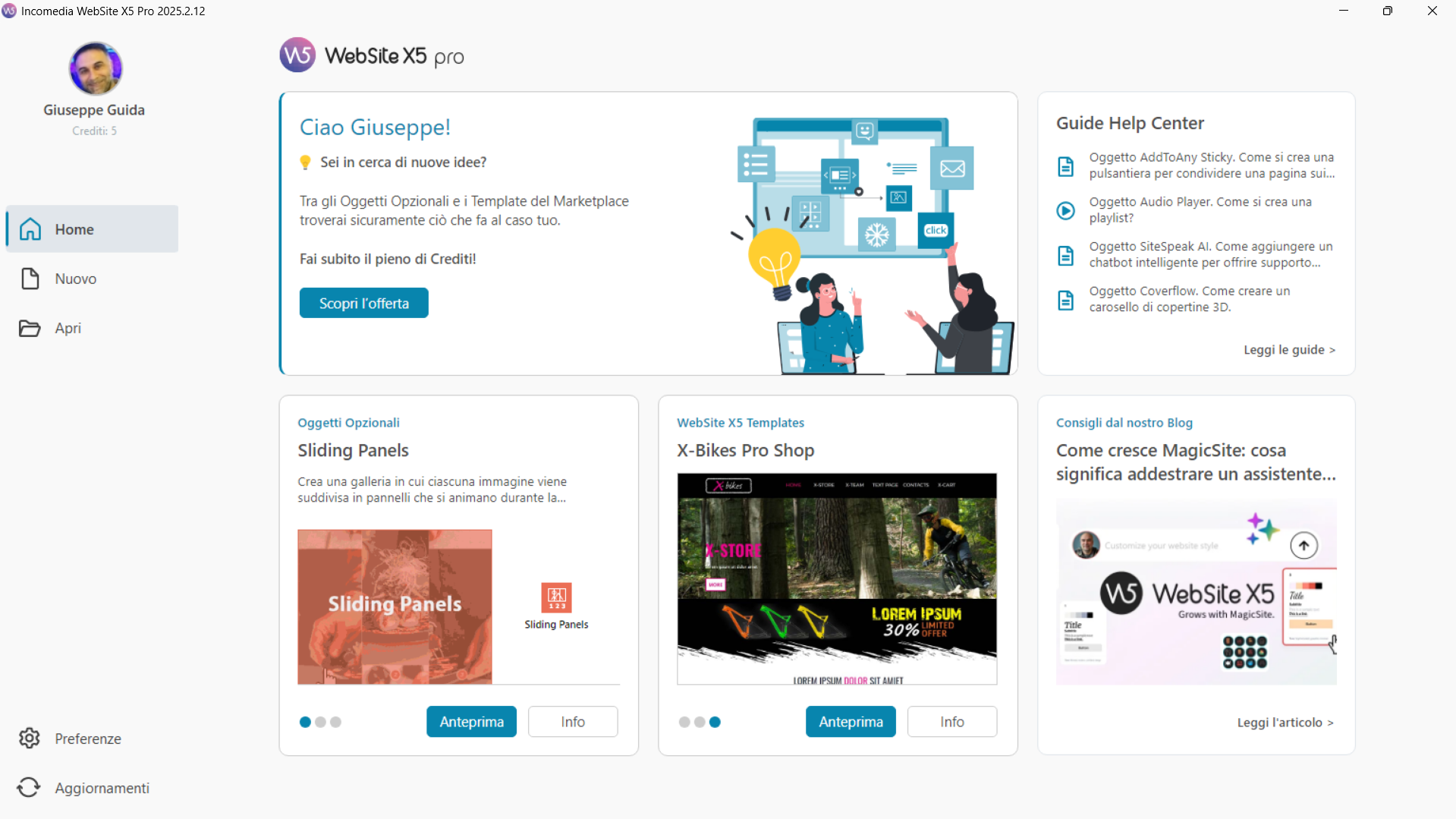
Inziamo bene con questa nuova versione


E poi ho riscontrato un altro problema nella finestra della chat del nuovo assistente AI integrato in Website X5 con:
1) testi tagliati - frecce rosse (ho allargato alla dimensione massima la finestra della chat trascinado con il mouse il bordo);
2) immagini che non si vedono - frecce gialle
Hello,
a fix will be released soon for this.
Buongiorno Giuseppe,
la cosa è legata alle modifiche nel browser interno inserite nella 2026.1.6, ma è legata a determinazioni combinazioni nelle impostazioni dello schermo o schermi utilizzati, e per questo motivo non si verifica sempre.
Eric buongiorno. Nella risposta riferita a me a cosa ti riferivi? Alla finestra della chat del nuovo assistente AI?
Lo schermo ha da sempre le solite impostazioni:
Risoluzione: 1920 x 1080
Ridimensionamento: 125% (scelta consigliata)
Non capisco cos'altro possa influenzare tale visualizzazione.
Comunque poco importa anche perché la mia era una semplice prova dell'ultima versione, non utilizzerò mai quell'assistente AI, sono tutte cose che già conosco. Forse è utile per chi è alle prime armi.
Per me può rimanere così quella finestra della chat.
Ciao
All'anomalia legata alla startpage, in particolare rispondendo a "non sono cambiate le impostazioni del sistema operativo e dello schermo, non è un problema di zoom o altre impostazioni Eric": volevo confermare che l'anomalia non è legata solamente a queste impostazioni, che come giustamente osservavi funzionano regolarmente in aggiornamenti precedenti, ma all'interazione tra queste e l'aggiornamento attuale.
Relativamente all'assistente AI, ho riportato la segnalazione.
Ok Eric.
Grazie. Buon lavoro
una firma direi.
I have a 15-inch laptop, it has the same error, Windows 11 current version
Yep, I'm having the same issue also...
When this problem will be solved?
same issue
same shit ! I need work !!!!! And now the programe is in stand by !
Hello,
could you clarify the situation?
This should only affect the display of the central page, but not the buttons used to open an existing project or create a new one, what issue are you experiencing?
Je vais écrire en français (google traduction please)
Mon programme ne se met plus en marche, je l'ai déjà ré-installé mais il plante avant le menu ! Impossible de travailler.
Hello,
if you are stuck in the loading screen when trying to open the software, it is likely the issue associated with Windows security update KB5083769.
We included a fix for this in version 2026.1.8, which is currently in Beta.
You can either uninstall this security update and wait for the release for all users, or enable Beta updates for your account and download the installer here:
https://static.incomedia.eu/websitex5.com/v2026.1/2026.1.8.0/wsx5_pro.exe
Online translation:
Bonjour,
si vous restez bloqué sur l’écran de chargement lors de l’ouverture du logiciel, il s’agit probablement du problème lié à la mise à jour de sécurité Windows KB5083769.
Nous avons inclus un correctif pour ce problème dans la version 2026.1.8, actuellement en version Beta.
Vous pouvez soit désinstaller cette mise à jour de sécurité et attendre la sortie pour tous les utilisateurs, soit activer les mises à jour Beta pour votre compte et télécharger l’installateur ici :
https://static.incomedia.eu/websitex5.com/v2026.1/2026.1.8.0/wsx5
Hi,
There is still an issue with some buttons not being accessible on the WX5 start page. It's not something that will neccessarily hinder and impede work but just an important FYI perhaps in the event you want a fully working and accesible program start page. Please see the screenshot below for reference. Thanks
Kind Regards,